
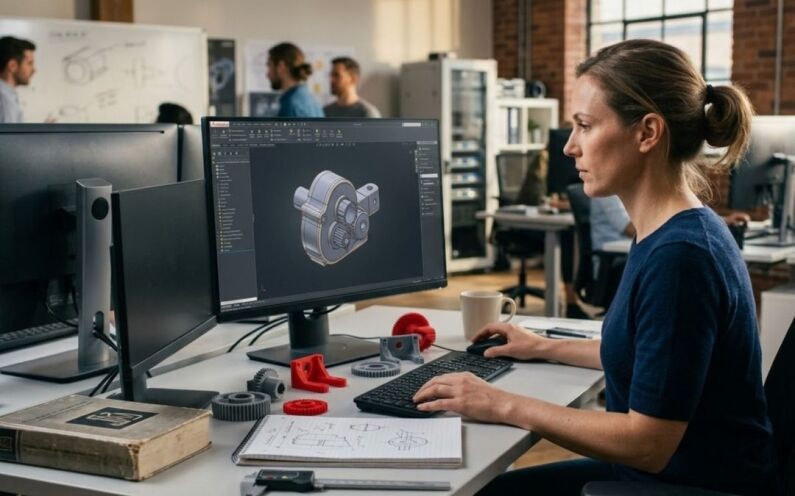
CAD software has changed the way engineers and designers build things. One big part of that is solid modeling. It is used in product design, mechanical engineering, manufacturing, and many other fields. But what exactly is it, and how does it work?
A lot of people jump into CAD tools without really understanding what is happening under the hood. Knowing the basics of solid modeling helps you make better design decisions and avoid common errors down the line. This guide explains the basics. It covers what solid modeling is, how it works, and why it is useful in real projects.
What Is Solid Modeling?
Solid modeling is a way to create 3D objects on a computer. Unlike a simple sketch or a wireframe drawing, a solid model looks and behaves like a real physical object. It has volume, mass, and surface area. You can rotate it, cut into it, and even test how it will hold up under pressure.
Think of it like this. If you draw a box on paper, it is just lines. If you build a solid model of a box in CAD, the software knows it has six sides, a specific weight, and a defined interior. That information matters a lot when you are building something real. Solid modeling is one of the core parts of most modern CAD systems. Tools like AutoCAD, SolidWorks, CATIA, and Inventor all use solid modeling at their heart.
How Is It Different from Surface Modeling?
This is a question many beginners ask. Solid modeling and surface modeling are both 3D techniques, but they work differently. Surface modeling creates the outside shell of an object. It is great for complex curves and organic shapes. Think of a car body or a phone case. Surface models look complete, but they do not always have a defined interior.
Solid modeling, on the other hand, creates a fully enclosed 3D shape. The software knows what is inside and outside. Because of this, solid models can be used for simulations, stress tests, and manufacturing directly. In practice, many designers use both. They might start with surfaces for complex shapes and then convert them into solids for final engineering work.
| Features | Surface Modeling | Solid Modeling |
|---|---|---|
| What it creates | Outside shell only | Fully enclosed 3D body |
| Has interior? | No | Yes |
| Best for | Organic shapes, styling | Mechanical parts, engineering |
| Used in manufacturing? | Not directly | Yes |
| Simulation ready? | Limited | Yes |
The Basic Building Blocks
Every solid model starts with simple geometry. Here are the main building blocks you will work with.
- Sketches are the starting point. A sketch is a 2D drawing made on a flat plane. You draw lines, circles, arcs, and rectangles. These shapes define the outline of what you are about to create.
- Features are the operations you apply to those sketches. Common features include:
- Extrude – pushes a 2D shape into the third dimension. Draw a rectangle, extrude it, and you have a box.
- Revolve – spins a 2D profile around an axis. Great for cylinders and bottles.
- Loft – connects two or more shapes with a smooth transition. Useful for tapered parts.
- Sweep – moves a 2D shape along a path. Good for pipes, rails, and handles.
These are the most common features in any CAD tool. Once you learn them, you can build a huge range of parts. If you want to go deeper on how this applies to real products, this guide on 3D product modeling is worth reading.
Boolean Operations
Boolean operations let you combine or cut solid bodies together. There are three main types:
- Union – merges two solids into one. Imagine two overlapping cylinders becoming a single connected part.
- Subtract – removes one solid from another. This is how you create holes, slots, and pockets. Draw a cylinder, subtract it from a block, and you have a drilled hole.
- Intersect – keeps only the area where two solids overlap. This is less common but useful in certain design situations.
Most CAD users end up using subtract quite often. Drilling holes and cutting slots is part of almost every mechanical design.
Parametric vs. Direct Modeling
There are two main approaches to solid modeling in CAD. Knowing the difference can help you choose the right tool and method for your work.
Parametric modeling uses a history-based system. Every feature you add is recorded in order. You can go back and change an earlier dimension, and the whole model updates automatically. This is great for engineering work where precision and repeatability matter. SolidWorks and Inventor are examples of parametric CAD tools.
Direct modeling lets you push and pull geometry without worrying about history. It is faster and more flexible. You can grab a face and move it, and the software figures out the rest. Tools like SpaceClaim are built on this approach. It works well for quick edits and concept exploration.
Many modern CAD tools now offer both options. You can use parametric modeling for detailed work and switch to direct modeling when you need to make a quick change.
| Feature | Parametric Modeling | Direct Modeling |
|---|---|---|
| How it works | History-based, features recorded in order | Push and pull geometry directly |
| Edit flexibility | Change earlier dimensions and model updates | Grab any face and move it freely |
| Best for | Engineering, precision work | Quick edits, concept exploration |
| Learning curve | Steeper | Easier to pick up |
| Example tools | SolidWorks, Inventor | SpaceClaim |
Why Solid Modeling Matters in Real Work
When you work with solid models, the CAD software gives you much more than just a pretty 3D shape. Here is what it actually helps with:
- Automatic calculations – the software can tell you the exact volume, weight, and center of gravity of a part based on the material you assign. This feeds directly into engineering calculations and simulations.
- Manufacturing readiness – when a part goes to a CNC machine or a 3D printer, it needs a complete solid geometry. Surface models often have gaps or errors that cause problems. A clean solid model avoids these issues.
- Better team communication – instead of reading a 2D drawing with notes and dimensions, engineers can look at a 3D solid model and instantly understand the part. This reduces mistakes and speeds up production. Teams that also use virtual prototyping alongside solid models tend to catch problems even earlier.
Common Mistakes to Avoid
Here are a few things beginners often get wrong:
- Not fully constraining sketches – if your sketch has lines that can move freely, your model will behave unpredictably. Always make sure every sketch is fully defined before building features on top of it.
- Making things too complex too early – keep features simple and build up step by step. A model made of many small clean features is much easier to edit later.
- Ignoring design intent – think about how the part might change in the future. Place dimensions and constraints in a way that makes future edits easy.
- Not thinking about manufacturing – a model that looks good on screen may still be hard to machine or print. Always consider how the part will actually be made. This is sometimes called design for manufacturability, and it is worth understanding early.
Getting Started with Solid Modeling
If you are new to solid modeling, the best way to learn is to start simple. Pick one CAD tool and stick with it. Try creating basic shapes. Learn the sketch tools first. Then practice extrude and revolve. After that, move on to boolean operations and more advanced features.
Here are some good habits to build from the start:
- Always start with a clear sketch before adding features
- Work on one feature at a time and check your model as you go
- Think about how the part will be manufactured before you finalize the design
- Save often and keep your file organized with clear feature names
If you are working on a real product and need professional CAD support, the team at x-procad.com can help. They handle everything from 3D modeling and reverse engineering to prototyping and full manufacturing.
Build Better Parts by Understanding the Basics
Solid modeling is one of the most important skills in modern CAD work. It helps engineers and designers build accurate, detailed, and manufacturable parts. Once you understand the basics, the possibilities are pretty wide.
Start with simple shapes. Learn the features one by one. Practice combining and cutting solids. With time, it becomes second nature. The world of CAD is always growing. New tools and techniques keep coming out. But solid modeling stays at the center of it all. It is a skill worth investing in.


Recent Comments