
CAD software has been around for decades. It helped engineers move away from paper drawings and drafting tables. That was a big deal back then. But something even bigger is happening now.
Designs are no longer just created inside a computer. They are being shaped by data coming from the real world. Live data. Sensor data. Field data. And this is changing how engineers and designers actually work.
Let’s break this down in simple terms.
What Does “Responsive CAD” Actually Mean?
Think of a regular CAD file. You open it, you draw something, you save it. The design stays exactly as you left it unless you manually go back and change it.
Now imagine a CAD model that updates itself based on what is happening in the physical world. A bridge gets a little warmer in summer. A machine part starts to vibrate differently after six months of use. A building shifts slightly because the ground beneath it moved.
Responsive CAD means the design can react to this kind of information. It pulls in real-world data and uses it to check whether the original design still holds up. Or it helps engineers make smarter decisions before they even build anything.
That is the core idea. Simple, right?
Where Does the Real-World Data Come From?
This is a fair question. Data does not just appear out of thin air.
There are a few main sources:
Sensors on physical objects. Machines, structures, and products are increasingly fitted with sensors. These sensors measure things like temperature, pressure, vibration, and strain. The readings come in continuously.
IoT devices. The Internet of Things connects everyday objects to the internet. A pump in a factory, a turbine on a wind farm, even HVAC systems in a building. All of these can send data back to a central system.
Simulation results. Sometimes the data is not physical at all. Engineers run simulations to predict how something will behave under different conditions. That simulation output can also feed back into the design process.
Inspection and maintenance records. When a technician finds a crack or a worn part, that gets logged. Over time these records paint a picture of how a design performs in the real world versus how it was expected to perform.
All of this information, when connected properly to a CAD environment, starts to make the design process much more grounded in reality.
The Gap Between Design and Reality
Here is a problem that has existed for a long time in engineering.
You design something on a computer. It looks perfect. The simulations pass. You build it. And then, out in the field, things do not work exactly as planned.
Why? Because no model is a perfect copy of the real world. Assumptions are made. Materials behave slightly differently than expected. Loads and stresses vary depending on real usage patterns, not theoretical ones.
This gap between the digital model and the physical object is sometimes called the “digital twin gap.” And for years, engineers have just accepted it as part of the job.
Responsive CAD tries to close that gap. By feeding real performance data back into the model, the digital version gets closer and closer to what actually exists. Over time, the design becomes more accurate and more trustworthy.
Digital Twins: The Closest Thing to a Living Design
You may have heard the term “digital twin” before. It is closely related to this whole idea.
A digital twin is a virtual model of a physical object or system. But it is not a static model. It is continuously updated with data from its real-world counterpart.
So if you have a digital twin of an airplane engine, and one of the actual engine components starts showing signs of wear, the digital twin reflects that. Engineers can look at the twin and understand what is happening inside the real engine without taking it apart.
This is incredibly useful for maintenance planning, safety checks, and design improvements. Many industries are already using digital twins. Aerospace, automotive, manufacturing, construction. The list keeps growing.
CAD platforms that support digital twin workflows are becoming more important as this technology spreads across industries.
How This Changes the Design Process
Traditional CAD design has a kind of linear flow. You get a brief, you design, you check, you finalize, you hand off. Done. Next project.
Responsive CAD turns that into more of a loop.
You design something. It gets built and deployed. Data starts coming in from the field. That data informs adjustments to the design. Maybe small tweaks, maybe bigger ones. The design evolves over its entire lifecycle, not just during the initial creation phase.
This has a few practical effects:
Fewer surprises. When real data is flowing back into the model, engineers can spot problems earlier. A component that is wearing faster than expected shows up in the data before it becomes a failure in the field.
Better future designs. Each project teaches you something. When you have solid data about how a design actually performed, you carry those lessons into the next one. This is how engineering knowledge builds up over time.
Smarter material choices. Real-world performance data can reveal that a certain material is overkill in some areas and underpowered in others. That kind of insight leads to designs that use materials more efficiently.
More confident decisions. There is a lot of guesswork in traditional design. Real data replaces some of that guesswork with actual evidence.
Generative Design and Real-World Constraints
Generative design is another concept that fits into this conversation.
With generative design, you tell the software what constraints you are working with. Load requirements, material limits, weight targets. The software then generates multiple design options that meet those constraints.
Now here is the interesting part. When you combine generative design with real-world performance data, the constraints become much more accurate.
Instead of saying “this part needs to handle up to X amount of force,” you can say “based on three years of field data, this part actually experiences forces ranging from Y to Z in specific patterns.” The generative engine produces designs based on reality, not assumptions.
This is a meaningful shift. The outputs are designs that are genuinely optimized for how things are actually used, not just how engineers imagined they would be used.
Some Real Examples Worth Knowing
It helps to see this in practice.
In the oil and gas industry, pipelines are monitored continuously for pressure changes and corrosion. That data is fed into structural models to predict where maintenance is needed and whether any redesign is warranted before a problem occurs.
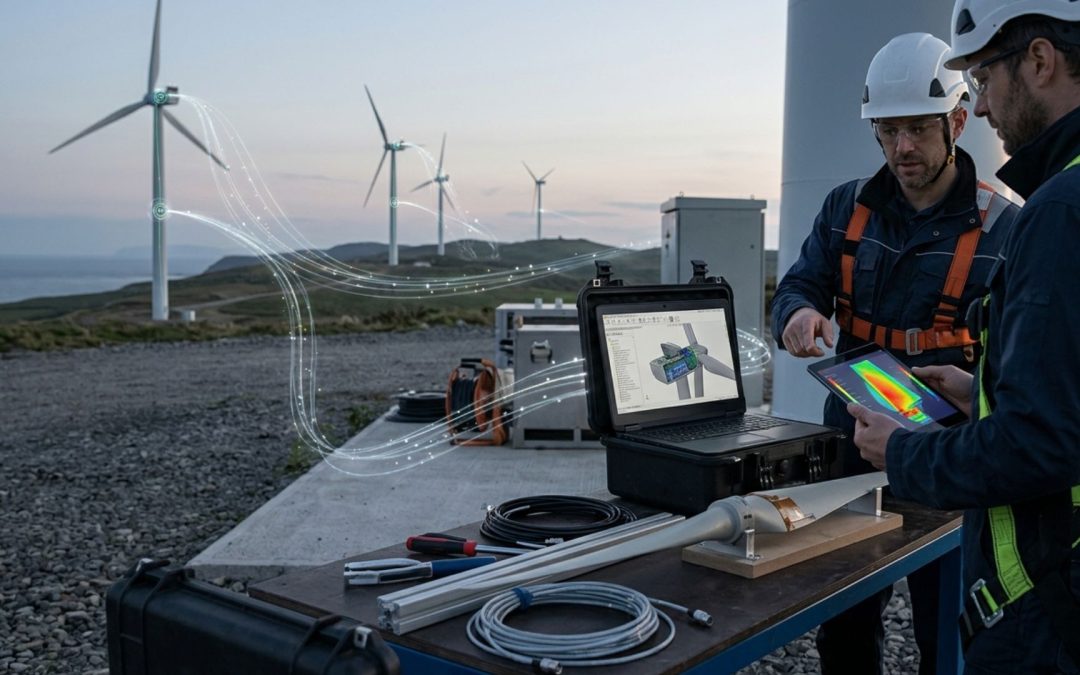
In wind energy, turbine blades are fitted with sensors that measure bending and vibration. Engineers use that data to refine blade geometry in future designs, improving efficiency and reducing stress concentration points.
In construction, building information models are increasingly connected to site sensor networks. Settlement data, temperature cycling, humidity readings. All of this helps engineers understand how structures actually perform and informs future designs.
These are not futuristic scenarios. They are happening now, in real projects, with real teams using updated CAD and design tools that support these kinds of data connections.
The Tools Need to Catch Up
Here is an honest observation. Not all CAD software is built for this kind of workflow yet.
Traditional CAD tools were designed for a world where design happened inside the software and stayed there. Adding real-world data feeds, connecting to IoT platforms, managing digital twin synchronization. These are not things older tools handle easily.
The industry is catching up. More platforms are being built or updated to support these data-driven workflows. APIs that connect to sensor systems. Cloud platforms that allow models to be updated remotely. Collaboration tools that let multiple engineers work on a model that is being informed by live data.
Choosing the right tools matters more than it used to. Not just for what you can design today, but for how that design can be maintained and improved over its entire life.
What Engineers Should Be Thinking About
If you are working in design or engineering and this is all new to you, here are a few things worth sitting with:
Are the designs you are creating today going to be able to receive feedback from the real world after deployment? Or are they just handed off and forgotten?
Do you have ways to capture performance data from existing products or structures? Even basic sensor data can be revealing.
Is your CAD toolset ready for more connected workflows, or is it still very much a standalone drafting tool?
These questions do not need immediate answers. But they are worth thinking about as the industry keeps moving in this direction.
What Makes This Shift Hard
To be fair, this is not a simple change to make.
Data collection costs money. Sensors, connectivity, storage, analysis tools. It all adds up. Not every project or organization has the budget or infrastructure for it.
There is also a skills gap. Engineers who are excellent at traditional CAD may not have experience with data engineering, IoT systems, or digital twin platforms. Bridging that gap takes time and training.
And there are data quality issues. Sensor data is messy. Readings drop out. Calibrations drift. Bad data going into a model can produce bad design conclusions.
None of this is a reason to dismiss the whole idea. But it is worth being realistic about the fact that adoption takes effort and investment.
So What Does the Future Actually Look Like?
Probably something like this. Designs will be treated as living documents rather than finished products. The relationship between a design and its real-world version will be ongoing, not just a one-time handoff.
AI will help process the enormous amounts of data that come from deployed products. It will flag anomalies, suggest design revisions, and help engineers prioritize where to focus attention.
And CAD tools will be more integrated into the broader engineering and operational ecosystem. They will sit inside a network of data rather than as isolated applications on a single workstation.
Where Design Meets the Real World
There is something almost obvious about this whole direction, when you step back and think about it.
Good design has always been about understanding reality. What loads will this carry? How will it age? What happens when conditions are not ideal? Real-world data just gives engineers better answers to those same questions.
The tools are getting smarter. The data is getting richer. And the designs that come out of this process are getting closer to what actually works in the physical world.
That is genuinely worth paying attention to.

Recent Comments